
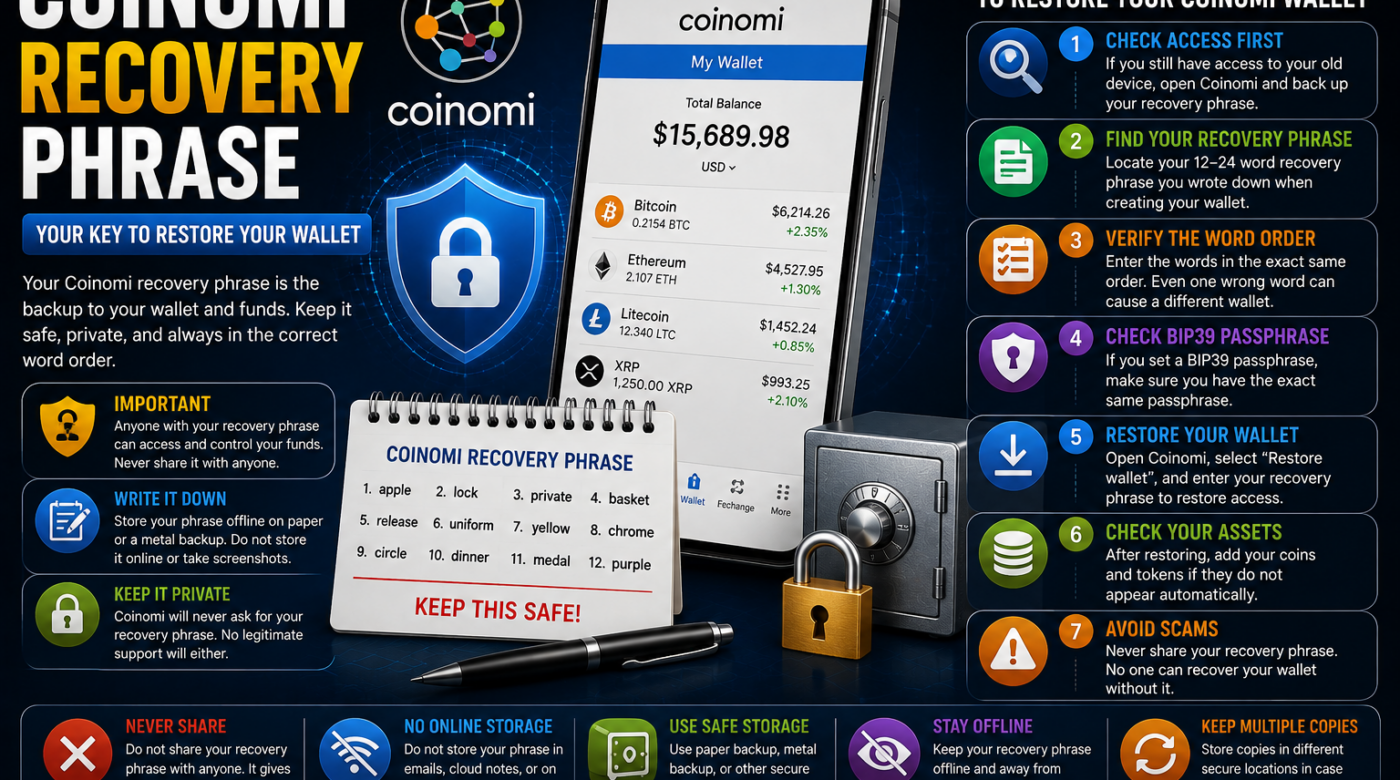
A Coinomi recovery phrase is one of the most important pieces of information associated with a Coinomi wallet.
If you lose your phone, change devices, reinstall the application, or need to restore an existing wallet, your recovery phrase may be required to regain access.
A Coinomi recovery phrase, also called a seed phrase or mnemonic phrase, can contain a sequence of words that generates the wallet’s private keys. Coinomi states that its recovery phrase is the backup for the wallet and should be kept secure and private.
The most important rule is simple:
Never share your Coinomi recovery phrase with anyone.
Anyone who gains access to the recovery phrase may be able to access the funds associated with that wallet.
This guide explains what a Coinomi recovery phrase is, how wallet restoration works, what happens when a phrase is lost, and the most important mistakes to avoid.
Table of Contents
- What Is a Coinomi Recovery Phrase?
- Why Is the Recovery Phrase Important?
- Step 1: Check Whether You Still Have Wallet Access
- Step 2: Find Your Coinomi Recovery Phrase
- Step 3: Verify the Correct Word Order
- Step 4: Understand the BIP39 Passphrase
- Step 5: Restore Your Coinomi Wallet Safely
- Step 6: Check Missing Coins and Tokens
- Step 7: Avoid Recovery Phrase Scams
- What Happens If You Lose Your Coinomi Recovery Phrase?
- Common Coinomi Recovery Problems
- Frequently Asked Questions
- Final Thoughts
What Is a Coinomi Recovery Phrase?
A Coinomi recovery phrase is a sequence of recovery words used to back up and restore a Coinomi wallet.
It is sometimes called:
- A seed phrase
- A recovery phrase
- A mnemonic phrase
- A wallet recovery phrase
Coinomi explains that a recovery phrase may contain between 12 and 24 words and is used to generate the wallet’s private keys.
The phrase is not the same as:
- Your Coinomi app password
- Your email address
- Your phone PIN
- A public wallet address
- A transaction password
These are separate credentials.
Your Coinomi recovery phrase is highly sensitive and should be treated like the key to your wallet.
Why Is a Coinomi Recovery Phrase Important?
The recovery phrase acts as the primary backup for a self-custody wallet.
Coinomi states that the phrase can restore the wallet if something happens to the original device.
You may need your backup if:
- Your phone is lost
- Your device is damaged
- You change phones
- The app is deleted
- The app data is cleared
- You reinstall the wallet
- You want to restore the wallet on another supported device
For this reason, it is important to keep a proper backup before making major changes to your device.
Step 1: Check Whether You Still Have Wallet Access
If your Coinomi wallet is still accessible on your current device, do not panic.
Existing access can give you an opportunity to review your legitimate backup options.
Before:
- Resetting your phone
- Deleting the application
- Clearing app data
- Replacing the device
make sure you understand whether your recovery information has been properly backed up.
If you have access to the wallet and know the correct app password, Coinomi’s official guidance provides a way to view and back up the recovery phrase from the wallet-management settings.
Step 2: Find Your Coinomi Recovery Phrase
If you previously created a proper backup, check the secure location where you personally stored it.
A recovery phrase should remain private.
Do not:
- Post it online
- Send it through social media
- Email it to strangers
- Upload it to an unknown website
- Give it to a person claiming to be support
Coinomi specifically warns that anyone with access to the recovery phrase may be able to move the funds associated with it.
Step 3: Verify the Correct Word Order
When restoring a Coinomi recovery phrase, accuracy matters.
The words must be entered in the correct order.
Common problems include:
- Missing a word
- Entering words in the wrong order
- Misspelling a word
- Using an incorrect backup
Coinomi notes that an incomplete phrase, incorrect word order, or typo can prevent successful restoration.
If you have a written backup, carefully compare it with your original record.
Do not repeatedly submit sensitive wallet information to unknown online services.
Step 4: Understand the BIP39 Passphrase
Some Coinomi wallets may have an additional BIP39 passphrase.
This is different from the normal app password.
According to Coinomi, the BIP39 passphrase is an optional additional layer of security and is not enabled by default.
If you enabled one, the exact same BIP39 passphrase may be required when restoring the wallet.
Even a small difference may result in a different wallet being restored.
If you are not certain that you created a BIP39 passphrase, avoid guessing or entering random values.
Step 5: Restore Your Coinomi Wallet Safely
If you legitimately possess your Coinomi recovery phrase, Coinomi’s official recovery process involves restoring an existing wallet through the application and entering the words in their original order.
The general process is:
- Use the official Coinomi application.
- Select the option indicating that you already have a wallet.
- Enter the recovery words in the correct order.
- Use any additional recovery setting only if you know it was originally configured.
- Complete the device security setup.
- Allow the wallet to refresh.
Coinomi’s official support documentation provides current restoration instructions for its supported applications.
Step 6: Check Missing Coins and Tokens
Sometimes a wallet is restored successfully, but a user does not immediately see every asset.
This does not automatically mean the recovery phrase failed.
Coinomi explains that users may need to re-add the relevant coins or tokens after restoration because the recovery phrase itself does not necessarily preserve which assets were displayed in the app interface.
Other possible causes of missing balances may include:
- Connection problems
- Incorrect recovery settings
- Using a different wallet
- An incorrect additional passphrase
- Secondary wallets
Before assuming assets have disappeared, carefully verify that the correct wallet and relevant assets are being checked.
Step 7: Avoid Coinomi Recovery Phrase Scams
People searching for a Coinomi recovery phrase are often targeted by scams.
Be cautious of anyone claiming:
- “We need your phrase to verify your wallet.”
- “Send us your seed phrase for recovery.”
- “We can guarantee access to your wallet.”
- “Your wallet must be verified immediately.”
- “Pay a fee and we will unlock your funds.”
Never share your recovery phrase with another person.
Coinomi’s own security guidance emphasizes that users should never share their recovery phrases or private keys.
What Happens If You Lose Your Coinomi Recovery Phrase?
The situation depends on whether you still have access to the original wallet.
If you still have access to your device and the wallet is functioning, Coinomi states that you may be able to view the recovery phrase from within the wallet-management settings and create a proper backup.
However, if you have lost both the recovery phrase and access to the wallet, Coinomi states that it cannot retrieve the phrase or restore access for you.
This is one of the fundamental responsibilities of using a self-custody wallet.
Is My Coinomi Password the Same as My Recovery Phrase?
No.
This is an important distinction.
Your Coinomi password is used to protect access on the device.
Your Coinomi recovery phrase is the backup information used to restore the wallet.
Coinomi explains that passwords are device-specific and can be reset using the correct recovery phrase.
Do not assume that knowing only your password will allow you to restore a wallet on a new device.
Can I Restore Coinomi on Another Phone?
If you have a correct and legitimate recovery phrase, Coinomi provides instructions for restoring an existing wallet on another supported device.
The recovery words must be entered in the original order.
If your wallet used an additional BIP39 passphrase, the same passphrase may also be required.
Common Coinomi Recovery Phrase Problems
Invalid Phrase
An error may occur because:
- The phrase is incomplete
- Words are in the wrong order
- One or more words are misspelled
Carefully review your original backup.
Restored Wallet Shows No Balance
Possible reasons can include:
- The correct asset has not been added
- The wrong recovery phrase was used
- The wrong BIP39 setting was selected
- A secondary wallet was previously used
Coinomi provides troubleshooting guidance for each of these situations.
I Forgot My App Password
Coinomi provides a password-reset process that uses the recovery phrase.
The recovery phrase and app password are separate pieces of information.
I Lost My Phone
If you still have a secure backup of your recovery phrase, that backup may be used to restore the wallet.
If you lost both the device and the recovery phrase, Coinomi states that it cannot retrieve the phrase for you.
How to Keep a Coinomi Recovery Phrase Safe
A proper backup should be:
- Private
- Accurate
- Stored securely
- Protected from accidental loss
Coinomi recommends maintaining a secure backup and warns against storing the phrase in insecure locations or sharing it with others.
A good approach is to make sure the backup is readable and preserved without exposing it publicly.
Never publish your actual recovery phrase in:
- A blog post
- A screenshot
- Social media
- A support ticket
- A chat message
Frequently Asked Questions About Coinomi Recovery Phrase
What is a Coinomi recovery phrase?
A Coinomi recovery phrase is a sequence of recovery words used as the backup for a Coinomi wallet and its associated private keys.
How many words is a Coinomi recovery phrase?
Coinomi states that a recovery phrase can contain between 12 and 24 words.
Is my Coinomi password the same as my recovery phrase?
No. Your app password and recovery phrase serve different purposes.
Can Coinomi recover my lost recovery phrase?
Coinomi states that it does not have access to users’ recovery phrases and cannot retrieve a lost phrase.
Can I restore my wallet on a new phone?
A legitimate recovery phrase can be used through Coinomi’s supported wallet restoration process.
What if my restored wallet is empty?
Check whether the correct coins or tokens have been added and whether the correct recovery settings were used. Coinomi lists several possible causes for this issue.
Should I share my Coinomi recovery phrase with support?
No. Never share your recovery phrase with anyone.
What is a BIP39 passphrase?
A BIP39 passphrase is an optional additional security layer. If you enabled one, the exact value may be needed when restoring the wallet.
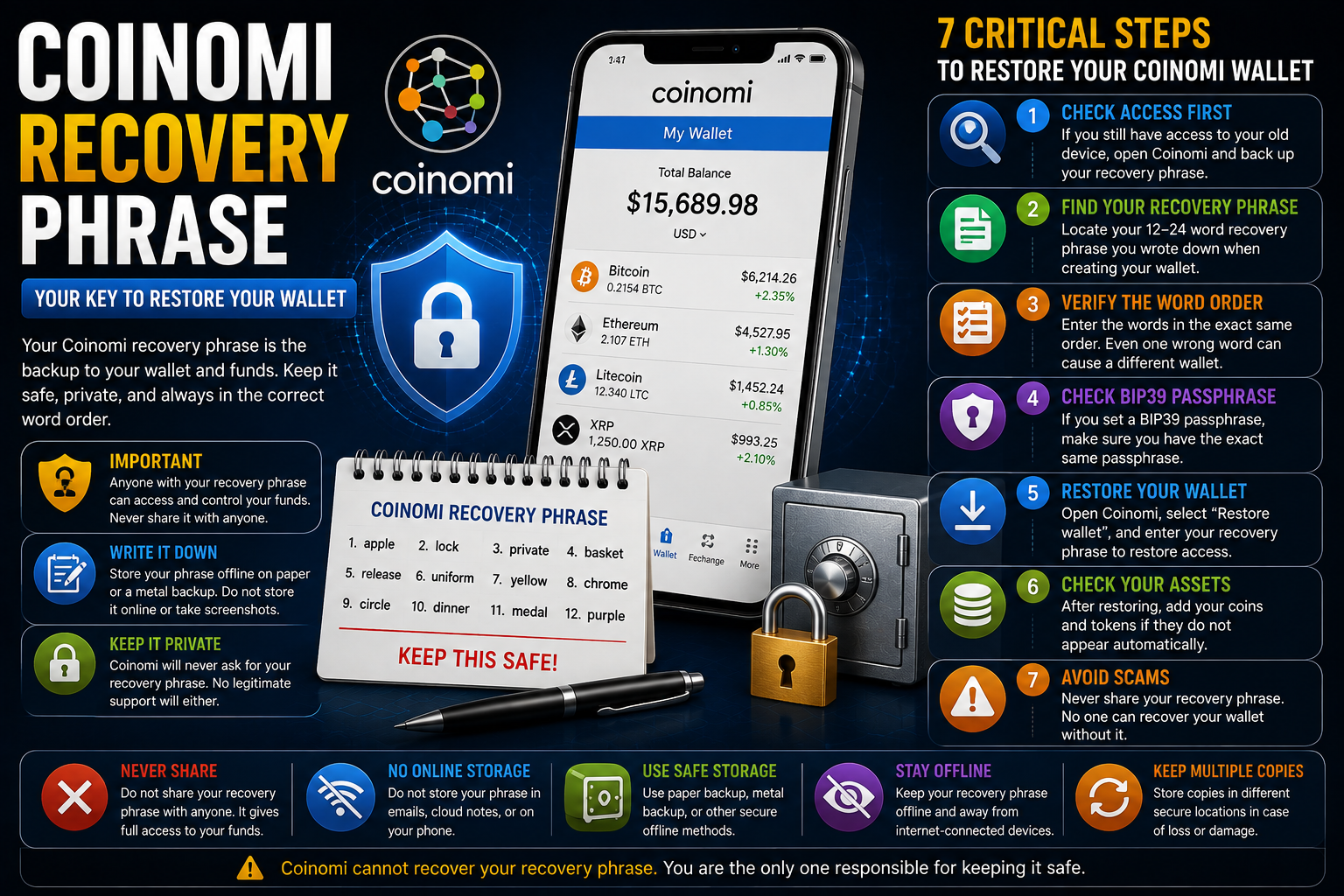
Final Thoughts on Coinomi Recovery Phrase
A Coinomi recovery phrase is the foundation of your wallet backup.
If you are changing devices or restoring an old wallet, carefully identify what information you have before making changes.
Remember these key points:
- Keep your recovery phrase private.
- Make sure every word is correct.
- Preserve the original word order.
- Do not confuse the recovery phrase with your app password.
- Understand whether an additional BIP39 passphrase was enabled.
- Use verified wallet software and official recovery guidance.
- Never share your phrase with someone claiming to offer recovery assistance.
If your wallet is still accessible, review your backup situation before deleting the app or resetting your device.
A properly secured Coinomi recovery phrase can be essential for restoring legitimate access, while losing both the phrase and wallet access can result in permanent loss of access.