
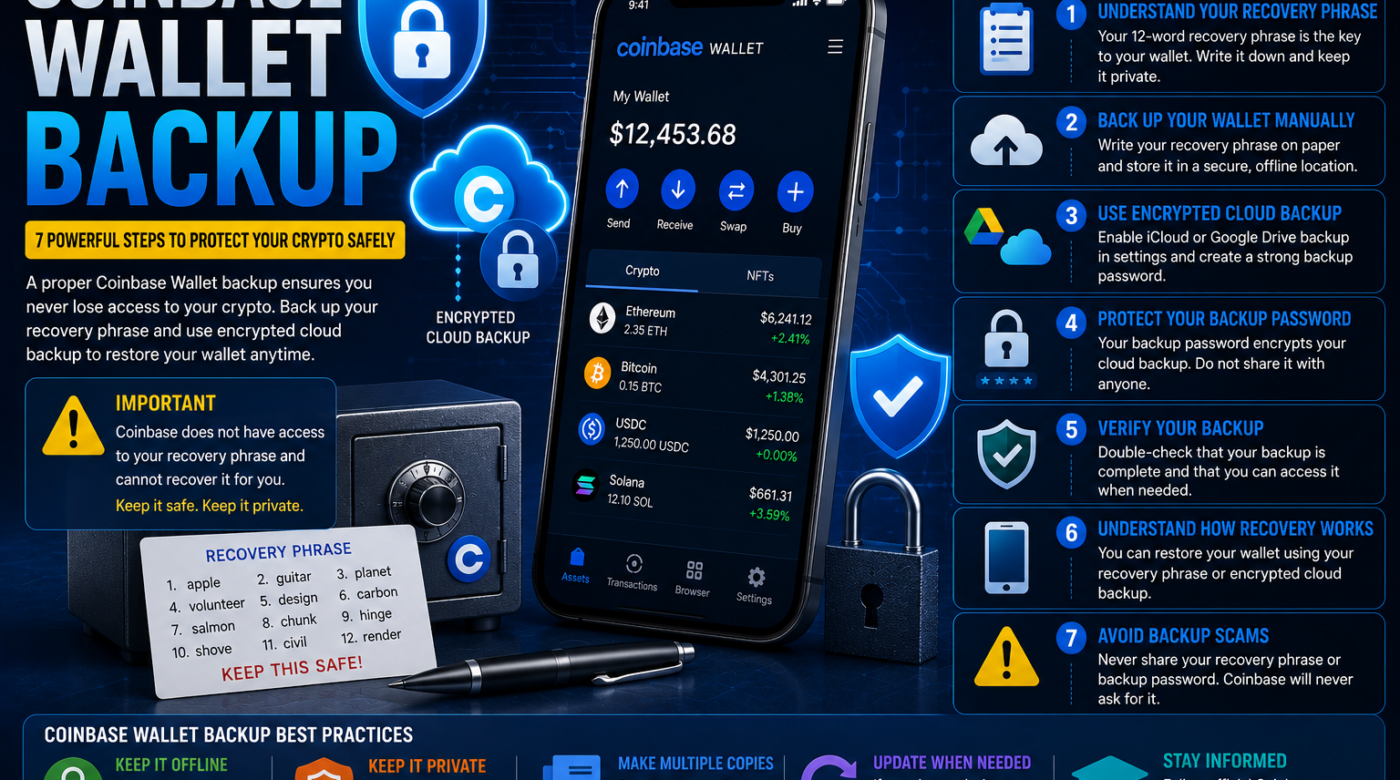
A Coinbase Wallet backup is one of the most important things to set up when using a self-custody cryptocurrency wallet.
If you lose your phone, delete the wallet application, forget your device passcode, or change devices, a proper backup may be essential for restoring access to your wallet.
Today, Coinbase’s legacy self-custody wallet experience has transitioned to the Base app. However, many users still search for information about a Coinbase Wallet backup, recovery phrases, cloud backups, and restoring old wallets.
The most important thing to understand is that your wallet backup information is extremely sensitive.
Your recovery phrase can provide access to your wallet. Coinbase states that it does not have access to your recovery phrase and cannot retrieve it for you if you lose it. Never share your recovery phrase with anyone.
This guide explains how a Coinbase Wallet backup works, the available backup methods, how to restore access, and the critical mistakes to avoid.
Table of Contents
- What Is a Coinbase Wallet Backup?
- Why Is a Wallet Backup Important?
- Step 1: Understand Your Recovery Phrase
- Step 2: Back Up Your Wallet Manually
- Step 3: Use an Encrypted Cloud Backup
- Step 4: Protect Your Backup Password
- Step 5: Verify Your Backup
- Step 6: Understand How Wallet Recovery Works
- Step 7: Avoid Backup and Recovery Scams
- How to Restore a Coinbase Wallet Backup
- What Happens If You Lose Your Recovery Phrase?
- Common Coinbase Wallet Backup Mistakes
- Frequently Asked Questions
- Final Thoughts
What Is a Coinbase Wallet Backup?
A Coinbase Wallet backup is a secure method of preserving the information required to restore access to a self-custody wallet.
For the legacy Coinbase Wallet experience, the most important recovery information is generally the wallet’s 12-word recovery phrase, also known as a seed phrase.
Coinbase explains that the recovery phrase is generated for the wallet and gives the user access to the wallet. If the recovery phrase is lost, access to the wallet may also be lost.
A wallet backup may involve:
- A manually stored recovery phrase
- An encrypted iCloud backup
- An encrypted Google Drive backup
- Another supported recovery method
The right backup method depends on the wallet setup and the options available in your version of the application.
Why Is a Coinbase Wallet Backup Important?
Unlike a traditional bank account, a self-custody wallet gives the user direct responsibility for protecting access credentials.
This is one of the reasons a Coinbase Wallet backup is so important.
You may need your backup if:
- Your phone is lost
- Your device stops working
- You delete the wallet application
- You move to a new device
- You accidentally sign out
- You forget an app passcode
- You need to restore an existing wallet
The recovery phrase acts as a key to the wallet.
If you have the correct recovery information, you may be able to restore access using a supported wallet recovery process. Coinbase’s official guidance explains that existing wallets can be recovered through a cloud backup or the wallet’s recovery phrase, depending on the setup.
Step 1: Understand Your Coinbase Wallet Recovery Phrase
Before creating a Coinbase Wallet backup, understand the difference between your recovery phrase and other credentials.
Your recovery phrase is not the same as:
- Your Coinbase account password
- Your email address
- Your wallet username
- Your device PIN
- Your app passcode
- A transaction password
A recovery phrase is a separate set of words associated with your self-custody wallet.
Coinbase describes the recovery phrase as a 12-word phrase that can be used to access or recover the wallet. Only the wallet owner has access to that phrase.
Never Share Your Recovery Phrase
Never send your recovery phrase to:
- A support representative
- A recovery company
- A social media account
- A Telegram or messaging account
- An email address
- A website claiming to verify your wallet
Coinbase states that it will never ask for or have access to your recovery phrase.
Step 2: Back Up Your Coinbase Wallet Manually
One option for a Coinbase Wallet backup is manual storage of your recovery phrase.
The wallet application may provide an option to display your recovery phrase so that you can securely record it.
When backing up manually, accuracy is extremely important.
Check:
- Every word
- The spelling of each word
- The correct word order
A missing or incorrectly recorded word can prevent successful restoration.
Coinbase recommends securely storing the recovery phrase and ensuring that the spelling and order are correct.
Where Should You Store a Manual Backup?
Choose a secure location that is not publicly accessible.
The important goal is protecting the information from:
- Unauthorized access
- Loss
- Accidental destruction
Avoid casually storing sensitive recovery information in public or insecure locations.
Step 3: Use an Encrypted Cloud Backup
A Coinbase Wallet backup may also be created using encrypted cloud storage options.
Coinbase has provided encrypted backup options through:
- Google Drive
- iCloud
The cloud backup is protected with a separate password created by the wallet owner.
Coinbase explains that the backup is encrypted and that the user must keep the backup password secure. If that password is lost, Coinbase may not be able to recover it for the user.
Why Is the Backup Password Important?
The cloud backup password is an additional security layer.
Do not assume that access to your email account alone will restore the wallet.
The password protecting the encrypted backup is important.
Keep it secure and do not share it with anyone.
Step 4: Protect Your Coinbase Wallet Backup Password
If you use an encrypted cloud backup, create a strong and unique password.
The password should not be:
- Shared publicly
- Sent to strangers
- Posted online
- Used carelessly across unrelated accounts
Coinbase notes that users are responsible for keeping their cloud backup passwords secure and that the password cannot necessarily be recovered by Coinbase.
Remember that your backup password and your recovery phrase may serve different purposes.
Keep track of what recovery information you have without exposing the sensitive information itself.
Step 5: Verify Your Coinbase Wallet Backup
Creating a backup is not enough if you do not know whether it was completed correctly.
Before making major changes to your wallet or device, carefully review your available backup settings.
Check whether you have:
- A properly recorded recovery phrase
- A supported cloud backup
- The password associated with your encrypted backup
- Continued access to your wallet
Do not publicly test your recovery phrase by entering it into random websites.
Only use verified and official wallet recovery processes.
Step 6: Understand How Coinbase Wallet Recovery Works
A proper Coinbase Wallet backup can be useful when moving to another device.
Depending on the wallet version and available features, recovery may involve:
- Installing the official wallet application.
- Selecting the option to restore an existing wallet.
- Choosing a supported recovery method.
- Restoring from a cloud backup or recovery phrase.
- Completing the wallet’s security setup.
Coinbase’s official mobile wallet guidance explains that users may restore an existing wallet through an available cloud backup or by entering the correct 12-word recovery phrase.
Recovery Phrase vs Cloud Backup
A recovery phrase can be used to restore a compatible wallet.
A cloud backup depends on the encrypted backup and the password created to protect it.
These are different recovery methods.
It is important to understand which one you created before assuming that your wallet can be restored.
Step 7: Avoid Coinbase Wallet Backup Scams
People searching for a Coinbase Wallet backup are frequently targeted by scammers.
Be cautious of anyone who claims:
- “We can recover your wallet instantly.”
- “Send us your recovery phrase for verification.”
- “Coinbase support needs your seed phrase.”
- “Pay us first, and we will unlock your wallet.”
- “Your wallet needs immediate verification.”
These claims should be treated seriously and carefully.
Never Enter Your Recovery Phrase Into an Unknown Website
Your recovery phrase is highly sensitive.
Coinbase warns that anyone who gains access to the recovery phrase may be able to access the funds in the wallet.
Always verify the application or website independently before entering sensitive information.
How to Restore a Coinbase Wallet Backup
If you have a legitimate backup, the restoration process generally depends on the method used.
Restore Using a Recovery Phrase
A user may select an option to restore or import an existing wallet and then enter the correct recovery phrase.
Coinbase explains that the 12-word recovery phrase can be used to recover an existing wallet.
Restore Using a Cloud Backup
If you previously created a supported encrypted cloud backup, the wallet may provide an option to restore using that backup.
You will generally need access to the relevant cloud account and the password created to encrypt the wallet backup.
Coinbase explains that users can restore an existing wallet using a supported cloud backup and the password created for that backup.
What Happens If I Lose My Coinbase Wallet Recovery Phrase?
This can be a serious problem.
For a self-custody wallet, Coinbase states that it does not have access to your recovery phrase and cannot retrieve it for you.
However, your situation may be different if you still have:
- Access to the wallet on an existing device
- A previously configured encrypted cloud backup
- Another supported recovery method
If you still have access to your wallet, avoid deleting or resetting it before reviewing your backup options.
Can I Recover My Coinbase Wallet Without the Recovery Phrase?
Possibly, depending on whether another supported backup method is still available.
For example, Coinbase has provided encrypted cloud backup options for eligible wallet setups.
If you previously created a cloud backup and still have the necessary access and password, that may provide a legitimate recovery method.
However, if all access and backup methods are permanently lost, Coinbase cannot simply retrieve a self-custody recovery phrase for you.
Common Coinbase Wallet Backup Mistakes
1. Not Creating a Backup
This is one of the biggest risks.
A wallet may become difficult or impossible to access if the device is lost and no recovery information is available.
2. Recording the Recovery Phrase Incorrectly
One incorrect word or incorrect order may prevent successful restoration.
3. Sharing the Recovery Phrase
Never share it.
No legitimate support agent needs your recovery phrase.
4. Forgetting the Cloud Backup Password
If you choose encrypted cloud backup, the password protecting that backup is also important.
5. Saving Credentials on Suspicious Websites
Never enter your sensitive wallet information into unknown websites.
6. Confusing Your Coinbase Account With Your Self-Custody Wallet
A Coinbase exchange account and a self-custody wallet are different products and may use different login and recovery processes.
7. Deleting the Wallet Before Checking Backup Options
If your wallet is still accessible, review and secure your backup information before making unnecessary changes.
Is Coinbase Wallet Now the Base App?
Coinbase’s wallet documentation now refers to the newer Base app experience and distinguishes it from the legacy Coinbase Wallet experience.
The classic version of the wallet was scheduled to close on August 15, 2026, with users’ recovery phrases, addresses, and supported assets remaining associated with the updated wallet experience.
This means people searching for Coinbase Wallet backup information may now encounter instructions that refer to the Base app.
The core principle remains the same:
Protect your recovery information and understand your available backup method.
How to Secure Your Wallet After Creating a Backup
A Coinbase Wallet backup is only one part of wallet security.
You should also consider:
- Device security
- App locks
- Biometric protection
- Secure passcodes
- Reviewing connected applications
- Monitoring wallet activity
Coinbase’s wallet security guidance explains that its app provides security options such as App Lock and warns users to protect their recovery phrase.
Frequently Asked Questions About Coinbase Wallet Backup
What is a Coinbase Wallet backup?
A Coinbase Wallet backup is a secure way to preserve the information needed to restore access to a self-custody wallet.
How do I back up Coinbase Wallet?
Depending on the wallet version and available features, users may be able to back up their recovery phrase manually or create an encrypted backup using iCloud or Google Drive.
Does Coinbase have my recovery phrase?
No. Coinbase states that it does not have access to a user’s self-custody recovery phrase.
Can I restore my Coinbase Wallet on another phone?
If you have the correct recovery phrase or an eligible cloud backup, you may be able to restore access on another supported device.
What happens if I lose my recovery phrase?
If no supported backup or existing access remains, losing the recovery phrase can result in permanent loss of wallet access.
Is a Coinbase Wallet backup the same as my Coinbase account password?
No. A self-custody wallet recovery phrase is different from a regular Coinbase account password.
Can I share my recovery phrase with Coinbase support?
No. Coinbase states that it will not ask for or have access to your recovery phrase.
Can I use Google Drive for a Coinbase Wallet backup?
Eligible wallet versions have supported encrypted Google Drive backups protected by a separate password.
Final Thoughts on Coinbase Wallet Backup
A Coinbase Wallet backup is one of the most important security steps for anyone using a self-custody wallet.
Your wallet may be accessible through:
- A recovery phrase
- An encrypted cloud backup
- Another supported recovery method
The most important thing is to understand which recovery method you have and protect the information associated with it.
Never share your recovery phrase.
Never trust a stranger who claims they need your wallet credentials to verify your account.
And if your wallet is still accessible, review your legitimate backup options before deleting the app, resetting your device, or signing out.
A properly secured backup can make it much easier to restore access after changing or losing a device, while poor backup practices can put your cryptocurrency at risk.